
Booking Series
Overview
Wix Bookings lets you create recurring appointments, but not your clients. Booking Series adds that to your service page: a client picks a practitioner, a cadence and how many visits, and books the whole run in one step.
Setup
Your services already exist in Wix Bookings. Two settings decide whether clients ever see this app, and neither is on by default.
1. Send clients to the service page
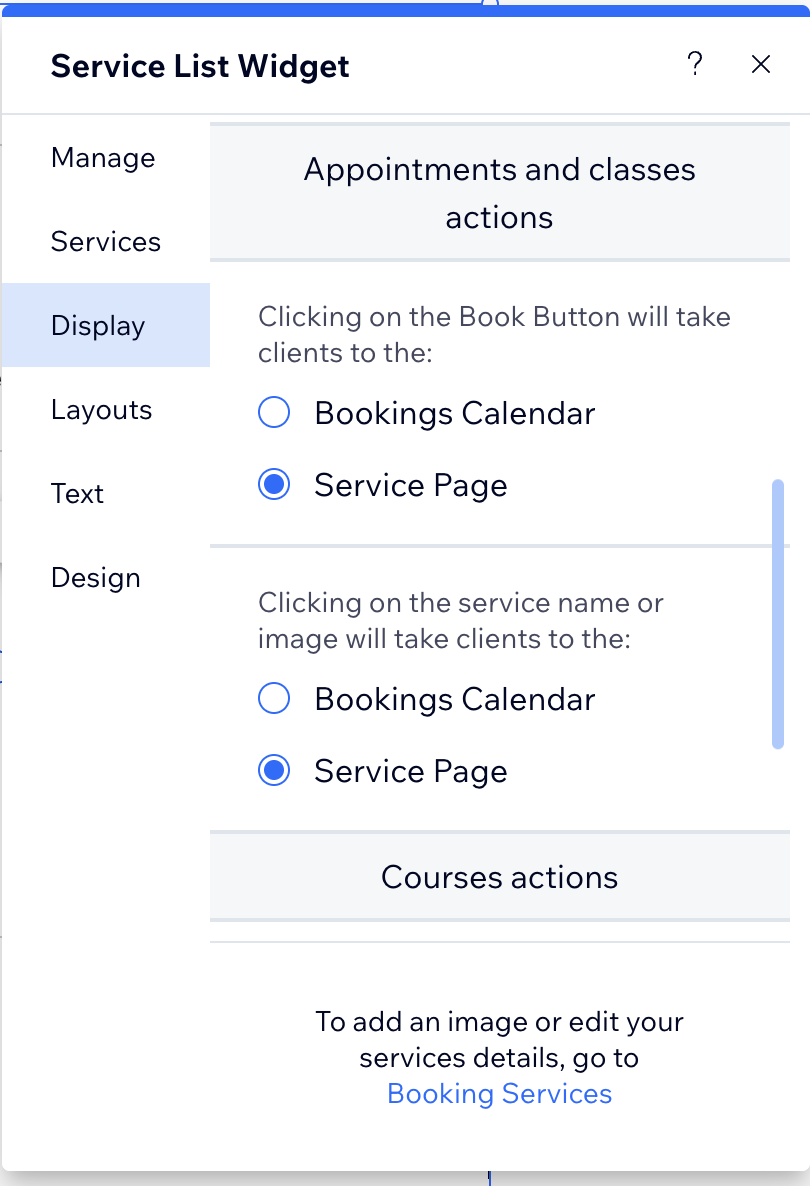
By default, clicking a service opens the Booking Calendar and skips the service page, which is where this app lives. In the Editor, select your Service List and open Settings → Display. There are two settings there, and both must be set to Service Page: one for the Book Button, one for the service name or image. Setting only one of them still sends most of your clients straight to the calendar.
2. Move the section under the booking button
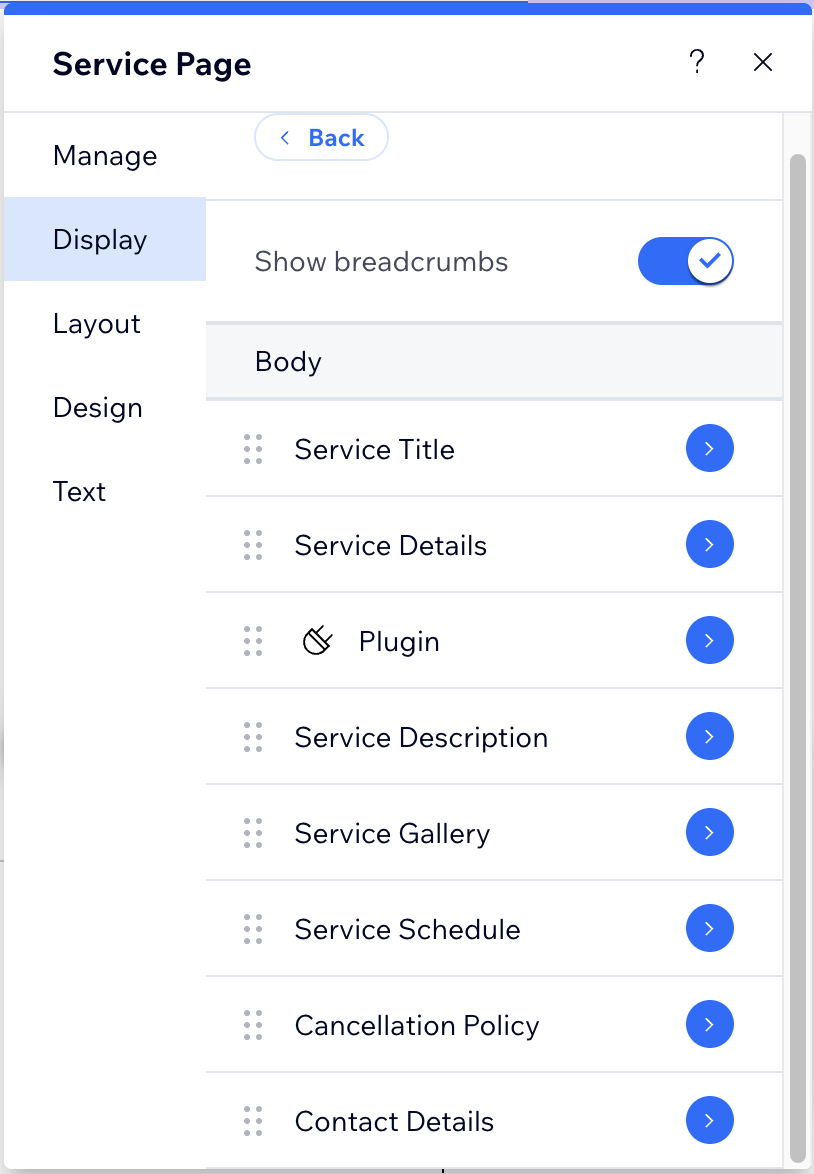
Wix adds it at the bottom of the service page, after Contact Details. In Service Page → Display → Body, drag Plugin up, just under Service Details. A section left at the bottom is never read.
Then enable your services in Booking Series → Settings, and publish the site.
If the app was installed before Wix Bookings was set up, add the Plugin section by hand on the service page. It will not appear on its own.
Per-service configuration
For each service you enable, you decide:
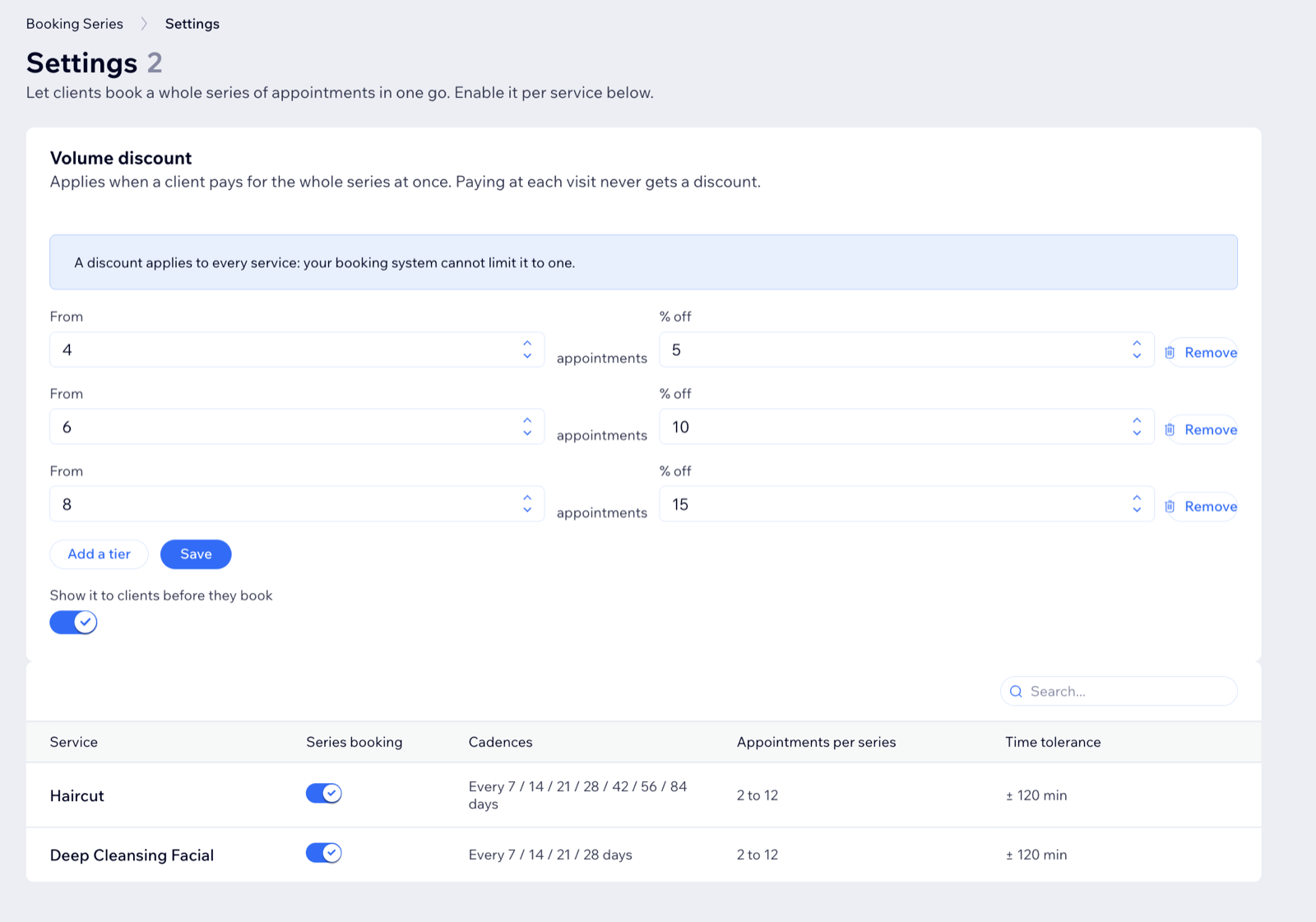
- the cadences a client may choose, from weekly to twelve-weekly;
- the minimum and maximum number of appointments in a series;
- the tolerance around the preferred time, which is how far an alternative slot may sit from the hour the client asked for;
- whether a series can be paid in one checkout, at each visit, or either way.
Volume discount
Set tiers, such as a percentage off from five appointments and a better one from ten. Clients see the saving before they pick a number. The discount applies to a series paid upfront, and is created as a real discount rule on your site, so it appears in the order like any other. Tiers are set once and apply to every service.
What the client sees
On the service page, under the booking button: a practitioner, a first date, a cadence and a number of appointments. The app proposes the run and shows every date. When a preferred time is not free, it offers the closest matching slot within your tolerance rather than a dead end, and the client can browse other days and change any appointment before confirming. The section takes the colours, radius and type of your own page, and shows every time in your salon's time zone.
Available in English, Spanish, Portuguese, French and German, following the language of the site.
Managing series
Booking Series in your dashboard lists every booked series: who booked it, with whom, how many appointments and their live status. Open one to see each appointment, and cancel the visits still ahead in one action. If you move or cancel an appointment from your own calendar, the series follows.
Plan
The app is premium, with a free trial. If a subscription lapses, the booking section stops showing on the site rather than letting a client fill a form that would be refused at the last step, and your dashboard says why. Nothing is deleted: existing series and appointments stay where they are.
Need help?
For a bug, a question or a feature request, use the Support page.